The sheer amount of data can feel less like a resource and more like a hurdle in this age of information overload, where our screens are constantly filled with news stories, articles, and research papers. It’s common for us to quickly skim headlines, have trouble understanding technical terms, or waste time comparing facts in dozens of tabs. This setting calls for a smarter and better way to take in information. Here comes Wiseone, an AI-powered tool that is completely changing the way we interact with words online.
Wiseone isn’t just another browser add-on; it’s a huge step forward in personal productivity and digital knowledge. With just one click, Wiseone can simplify complicated information, check the reliability of sources, and help you understand things better by incorporating strong artificial intelligence directly into your browsing experience. If you want to improve your research, learn faster, or just stay informed without getting tired of scrolling endlessly, learning how Wiseone works is the first thing you need to do to get your time back and reach a new level of informational knowledge. This complete guide will look at everything this cutting-edge wiseone.io product has to offer, from its main features and prices to how it works in real life and what other great options are out there.
What Is Wiseone AI?
Wiseone is a new and innovative browser extension driven by AI that is meant to change and improve the way you read online. It works as a personal, on-demand assistant that sits on top of the web pages you visit and turns passively reading material into an active, efficient, and deeply insightful learning session.
At its core, Wiseone uses large language models (LLMs) to let you interact with the text you’re reading in real time. Its premium plans include cutting-edge technology like GPT-4. This wiseone.ai product is designed to help you understand and think critically, unlike simple summarizers or idle bookmarking tools.
Key Features
The power of Wiseone comes from a group of well-thought-out features that are all meant to make reading faster and deeper. Here are the five most important things that make the wiseone.ai experience unique:
Summarize
- The most important tool in the Wiseone toolbox is the Summarize feature.
- When turned on, it immediately reads the whole webpage, PDF, or article and makes a short, high-quality summary of what it finds.
- It’s not just a simple text condenser; the tool gives users key points and main reasons, so they can quickly get the main idea of long pieces of writing.
- This is a must-have feature for quickly checking out stories or documents to see if they need a deeper look.
- It saves a lot of time because it skips the unnecessary details and goes straight to the important ones.
Focus
- For any serious reader, coming across new jargon or complicated scientific terms can slow them down and make it harder to understand what they’re reading.
- This can be fixed with Wiseone Focus. By selecting a difficult word or phrase or sometimes just turning on the mode, Wiseone gives you easier-to-understand definitions, explanations, and breaks down what the word means in different situations.
- The definition appears in a small window on top of your browser window, so you can stay focused on the page without having to go to a dictionary or search engine. This gives readers the confidence to read very specialized texts.
Ask Anything
- With the Ask Anything feature, static material can be turned into a place where people can ask questions in a conversational way.
- Wiseone lets users ask questions directly about the page’s content or related topics, so they don’t have to open a new tab to look up an answer to a question that the story made them think of.
- The AI assistant comes up with an answer right away, which is usually based on a search engine or the paper itself.
- This works especially well for getting immediate explanation, asking complicated follow-up questions, or pulling out specific data points without having to read through hundreds of paragraphs by hand.
- It changes reading into a conversational way to learn.
Cross-check
- As we deal with “fake news,” the Cross-check feature may be the most important thing WiseOne has to offer for teaching people how to use technology properly.
- When looking over something that might be controversial or important, Cross-check can be used to quickly find and show several accurate and trustworthy sources or points of view on the same subject.
- This lets people quickly compare the claims in this article to what most people on the web agree on.
- It helps people learn to think critically by giving them different points of view and letting them form well-rounded opinions based on verified facts.
Explore
- For people who are naturally interested, the Explore feature can turn a single piece into a doorway to a whole field of study.
- When Wiseone is turned on, it makes a list of articles, videos, study papers, and news stories that are topically similar to the page you are on.
- No more having to search Google by hand and try different things until you find what you want.
- It makes study easier and faster, which helps students and professionals learn more about a subject, find good extra resources, and quickly build a complete knowledge base about any subject.
Why This Is Useful: It Solves Problems
The WiseOne directly fixes a few major problems that make reading and researching online hard these days, making problems into smooth, useful interactions.
- Problem: Information Overload
Solution: The Summarize feature cuts down long pieces to their most important points, so you can quickly see what’s important and save time reading.
- Problem: Complex Vocabulary
Solution: The Focus feature gives you quick, in-context explanations for hard words and ideas, which keeps the reading flowing and improves your technical understanding.
- Problem: Verification of Facts
Solution: The Cross-check feature immediately checks claims against several outside sources, making sure you only read factual and trustworthy content.
- Problem: Research Fragmentation
Solution: The Explore feature brings together linked academic papers, news stories, and videos, so you don’t have to switch tabs and do the same searches over and over.
- Problem: Lack of Context:
Solution: The Ask Anything tool gives you instant, sourced answers to specific questions that the text raises. This lets you get a better idea of the context right away.
Related Post
If you want to explore detail reviews of Testmyprompt AI then read this: Testmyprompt
Who Can Use Wiseone AI
Many types of users will find the Wiseone AI tool useful because it is flexible and has a lot of features. Here are five main groups of people and the specific perks they get:
College Students & Teachers
- Quick Research: Summarize long academic papers quickly to get to the thesis and main ideas before you read the whole thing.
- Better Understanding: Use the Focus feature to quickly find and explain specialized words in hard textbooks or academic papers.
Business leaders and professionals
- Industry Insight: Summarize lets you stay ahead of market trends by efficiently reading dozens of industry news pieces and reports every day.
- Instant Clarification: Ask Anything can be used to instantly explain technical terms or specific data points that are used in business proposals or rival analyses.
Researchers and Data Analysts
- Verification of Sources: Use the Cross-check feature to make sure that new reports’ sources and data points are correct. This will help make sure that the study that forms the basis of the report is solid and fair.
- Gaining More knowledge: Use Explore to quickly find more case studies, related papers, and supporting data sets from trustworthy wiseone.io sources.
Educators and Teachers
- Curriculum Curation: Quickly decide if difficult online material is appropriate for students by summarizing and explaining it before giving it to them.
- Guided Learning: Tell your kids about the Wiseone tool to help them get past reading problems on their own and improve their critical thinking.
Everyday Readers and Lifelong Learners
- Effective Consumption: Instant recaps cut through the noise to make it easy to understand complicated news stories, financial blogs, or long-form investigative journalism.
- Critical Reading: Check the facts of shocking claims in stories shared on social media to learn how to use media properly and get a well-rounded view of current events.
Price Plans
There are clear price options for the Wiseone AI product that are meant to work for both casual and heavy users. The platform has a powerful free plan, but the premium Pro plan unlocks all of its full, infinite potential.
Users can pick the amount of AI-assisted reading that works best for them from the following plans:
Pros & Cons
✅ Pros
- It works right in the browser, so you don’t have to switch between tabs.
- Can handle and output material in multiple languages.Cross-check helps people learn how to use the media and check facts.
- Makes sure that the safety and security of user data are protected.
- Instantly breaks down tough words so you can learn without interruption.
❌ Cons
- The free version only lets you do a very small number of searches every day.
- Needs a stable internet link to work properly.
- Mainly designed for Google Chrome, with some support for other browsers.
- It has been reported that performance is less smooth when PDFs are very long.
- Some of the best tools, like unlimited queries and GPT-4, are locked behind a paywall.
How to Use Wiseone AI - Step by Step
You can quickly add AI-powered reading help to your daily browsing with the Wiseone AI extension, which is meant to be easy to use.
Step 1: Setting Up
- Get to the Chrome Web Store (or the application store for a browser that works with Chrome).
- Look for the “Wiseone AI” or “Wiseone” app.
- When asked, click the “Add to Chrome” button to finish the installation. The Wiseone mark will show up as a small, colored icon in the toolbar of your browser.
Step 2: Turning It On and Setting It Up
- In your toolbar, click the Wiseone button to “pin” it so you can get to it quickly.
- You can open any blog post, story, or news page you want to read.
- To use Wiseone’s features, you usually either click on the icon or interact with the text on the screen.
Step 3: Summarizing What Was Said
- Click the Wiseone button in your toolbar when you are on a page.
- Choose “Summarize” from the menu that drops down.
- Wiseone will quickly look over the page and show a short summary with the most important points, generally in a side panel or overlay.
Step 4: Use Focus and Ask Anything
- Focus: Just click on or highlight a word or phrase that is hard to understand in the text. A small window from the Wiseone add-on will show up with a more straightforward explanation.
- Ask Anything: To ask anything, look for the “Ask Anything” prompt or button in the sidebar or layout of Wiseone. You can type in a specific question about the story or topic and get an answer right away that comes from a source.
Step 5: Do More Research (Check and Look Into)
- Cross-Check: If you come across an important fact or figure, go to the Wiseone interface and click on the Cross-check button. Right away, the tool will get third-party sources and stories to back up or refute the information given.
- Explore: If you click the Explore button, a sidebar will appear with a hand-picked list of related news stories, articles, and extra study that you can use to learn more about the subject.
Alternatives Tools
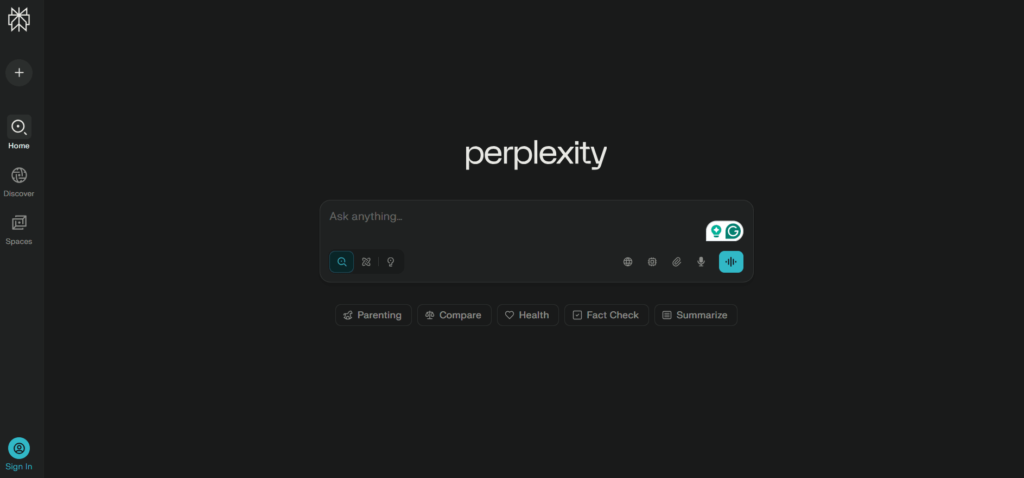
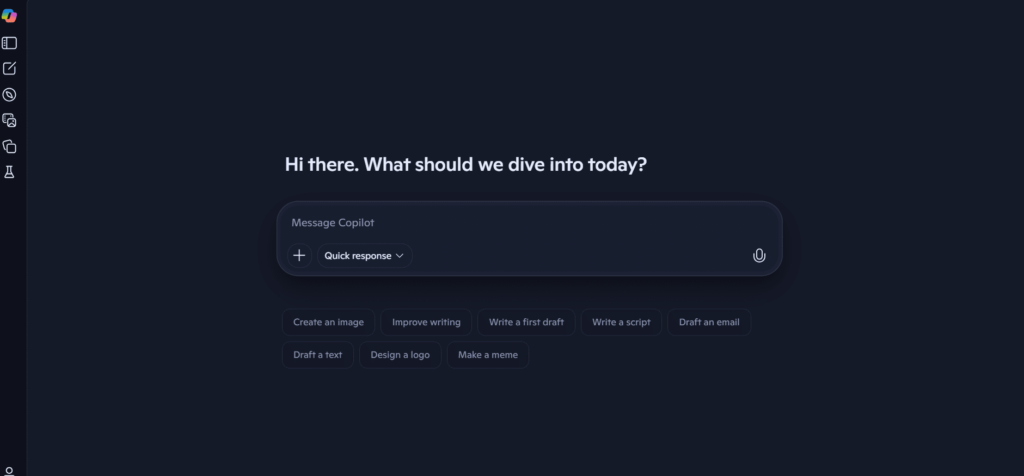
The market for AI helpers is very competitive, but Wiseone offers a great, all-in-one reading experience. There are three strong alternatives to Google’s AI tools that can all help you understand and study the web.
Great for people who value accurate search results and sourced replies over simplified text in-line; strong for complex research queries.
Best for people who are highly involved with the Microsoft ecosystem; offers more general AI help than just reading and web content.
Users who want a flexible, all-in-one sidebar will like that it can be easily customized and gives straight access to popular LLMs like GPT-4.
Conclusion
Wiseone has made a name for itself as the best AI-powered tool for people who need to find their way around the complex world of digital information. The wiseone.ai extension does what it says it will do, which is to boost productivity and understanding, by providing a powerful mix of summarization, contextual clarification (Focus), critical verification (Cross-check), and knowledge growth (Explore).
Because it works with everything else and is easy to use, it gets rid of most of the problems that come up when you do research on the web, like moving tabs, looking up words, or checking facts. The Wiseone product helps students study better, experts quickly check the reliability of sources, and regular readers learn more about the world around them. The free version has some restrictions, but the Pro plan is a good buy for heavy users who want to use all of its advanced models without any limits. In a world where speed and volume of knowledge are everything, buying a tool like Wiseone is an investment in the future of digital literacy and the efficiency of your mind. As of now, it is still a solid and powerful option for making your surfing experience truly smart.
Frequent Ask Questions
What is WiseOne AI?
Wiseone AI is a cool browser extension that uses AI to improve your online reading experience by doing things like summarizing, fact-checking, and giving you real-time context-based answers.
How does Wise One work?
Wiseone reads the page you are looking at to figure out what it is about. It processes the text with advanced AI models and then adds its features, such as Focus, Summarize, and Ask Anything, straight to the page, so you can get help right away without having to navigate.
How to use WiseOne?
Installing Wiseone as an add-on for your browser (mostly Chrome) is easy. To use its features, like making a summary or asking a question about the content, all you have to do is click on its icon or interact with the text on any site.
Is Wise One an AI?
Yes, Wiseone is a tool that is run by AI. It uses powerful Large Language Models (LLMs), such as GPT-4 technology in its premium levels, to make its reading and research tools work better.
Is Wise One safe to use?
The wiseone.io address is generally thought to be safe. It works as a privacy-conscious tool, follows GDPR rules, and makes sure that user data is kept private and not used for commercial reasons.
Does Wiseone work on PDFs?
If you open a PDF in your browser, WiseOne can help you summarize and get information from it. However, it may not work as well with very big or complicated files.
Is there a free version of Wiseone?
Yes, Wiseone does have a free plan. This plan does have some limits, though. For example, you can only use or query its AI features 10 times per day.
What is the Cross-check feature for?
Cross-check is an important part of WiseOne that encourages critical reading by letting users immediately check facts and claims against multiple external, trustworthy sources right in the article.
Can Wiseone help me understand complex articles?
Yes, Focus is a feature that is meant to find and explain difficult words and ideas in an article. This helps you keep reading and improves your technical knowledge.
Are there Wiseone ai reviews available?
Yes, there are a lot of reviews of Wiseone.ai on the Chrome Web Store and in tech magazines. Users often praise its ability to summarize information quickly and look within it.
Thank you for reading this article. I hope this article helps you a lot, and you won’t have to search again for Wiseone AI on the internet.